 Schubird
Feature guide
Shape the practice session you need today
A plan turns a broad intention into an ordered set of things to do. Generate focused work from your repertoire, add your own ideas, then adjust every minute and instruction before you begin.
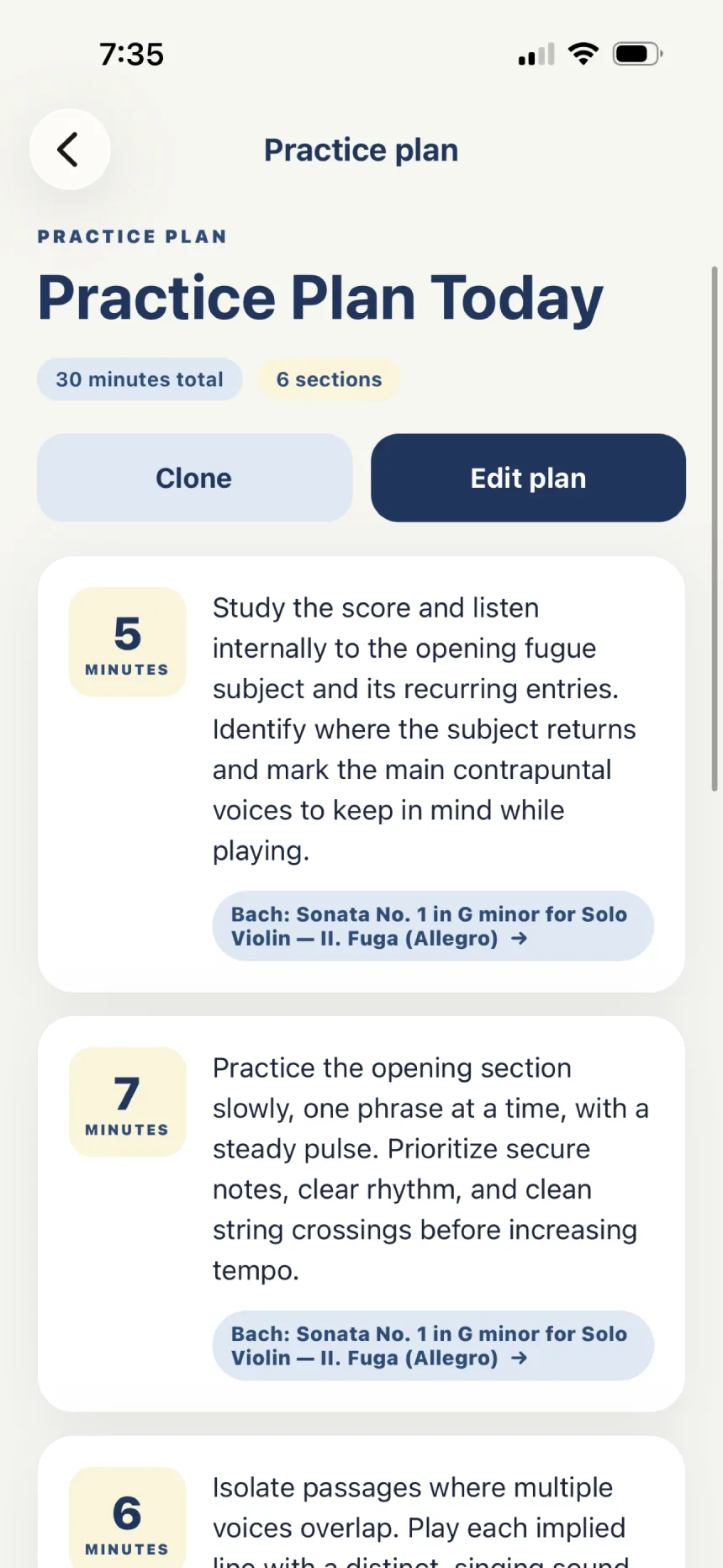
Create a plan
- Open Plans and choose New plan.
- Give the plan a useful name, such as “Monday evening” or “Before the studio class.”
- Set the total time budget.
- Add your own section, generate sections from repertoire, or combine both.
Generate from repertoire
- Choose the repertoire item and the number of minutes you want to devote to it.
- Schubird uses saved progress and notes from recent linked lessons to propose candidate focus areas.
- Select the ideas that matter today. You can also add a general area—such as intonation, rhythm, tone, or continuity—and name the passage.
- Submit your choices. Schubird allocates the available minutes and creates ordered sections.
Add your own section
Describe exactly what you will do, assign whole minutes, and optionally link it to repertoire. On iPhone or iPad, you can dictate text where voice input is available. A useful section names both the action and the standard for success.
Example: “Bars 41–48: block the double stops, then reconnect at quarter note = 60. Stop if the left hand starts squeezing.”
Edit and organize
- Drag sections into practice order.
- Keep the sum of section durations within the plan’s time budget.
- Link a section to repertoire so related work stays grouped.
- Save the plan when the sequence matches the session you intend to have.
Follow the plan
Open a saved plan and use the circular control beside a section to start or pause its timer. The floating timer lets you keep the current task visible while moving elsewhere in Schubird. Reset a section when you want to begin its elapsed time again.
Reuse a useful structure
Clone a plan when the overall shape still works but today’s details need to change. Rename the copy, adjust focus and timing, and keep the original as part of your planning history.