 Schubird
Capture
Add a lesson recording and let Schubird find the moments worth returning to.
Your private music-study workspace
Schubird turns teaching moments into a practice system: timestamped lesson notes, a living history for every piece, thoughtful practice discussions, and focused plans for the time you have today.
Invitation onlySchubird is available to download now. You currently need an invitation to create an account and use the app.
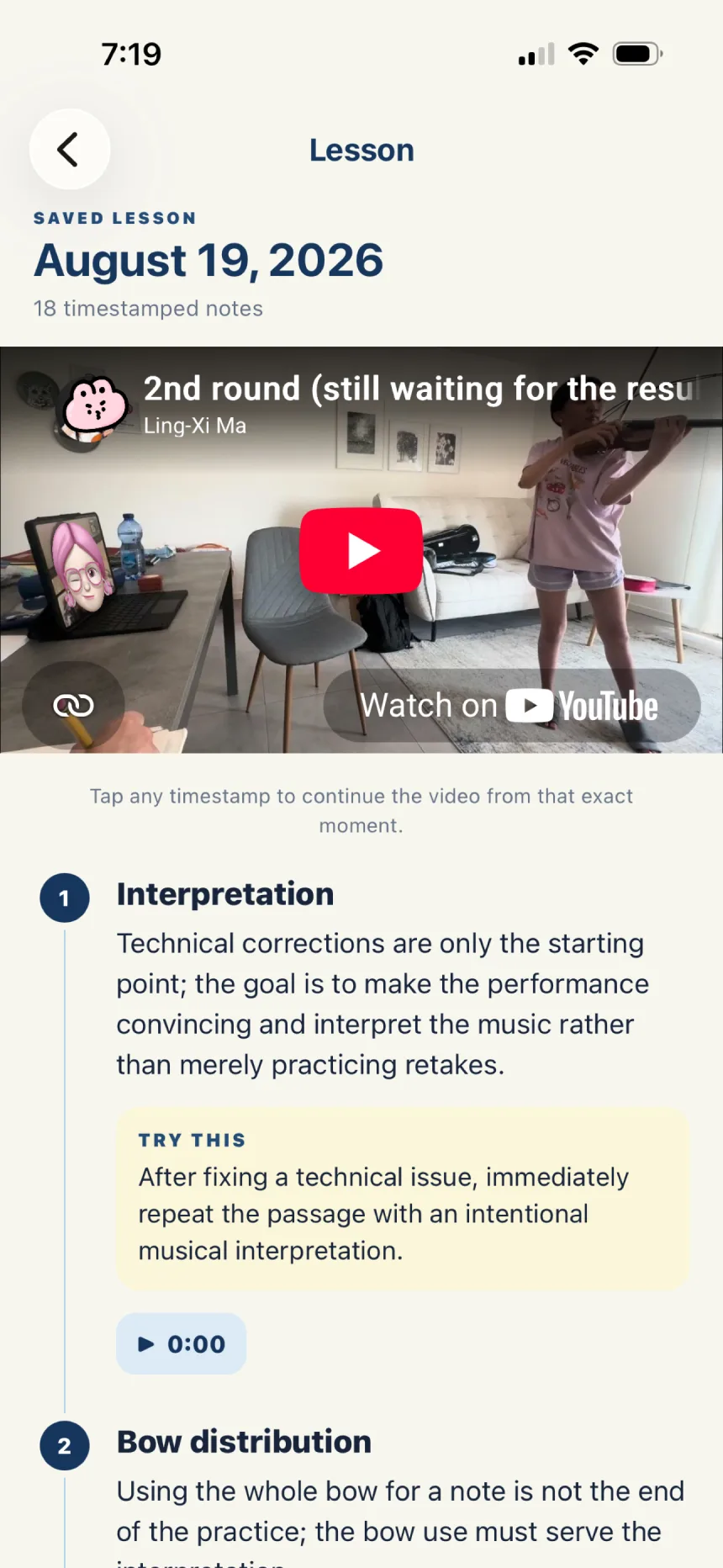
Tap a timestamp and return to the exact teaching moment.
Lesson notes
Bring in a captioned YouTube lesson—or choose a recording on iPhone or iPad—and Schubird organizes it into clear, timestamped notes. Review the explanation, jump back to the moment it happened, and keep the practical next step beside it.
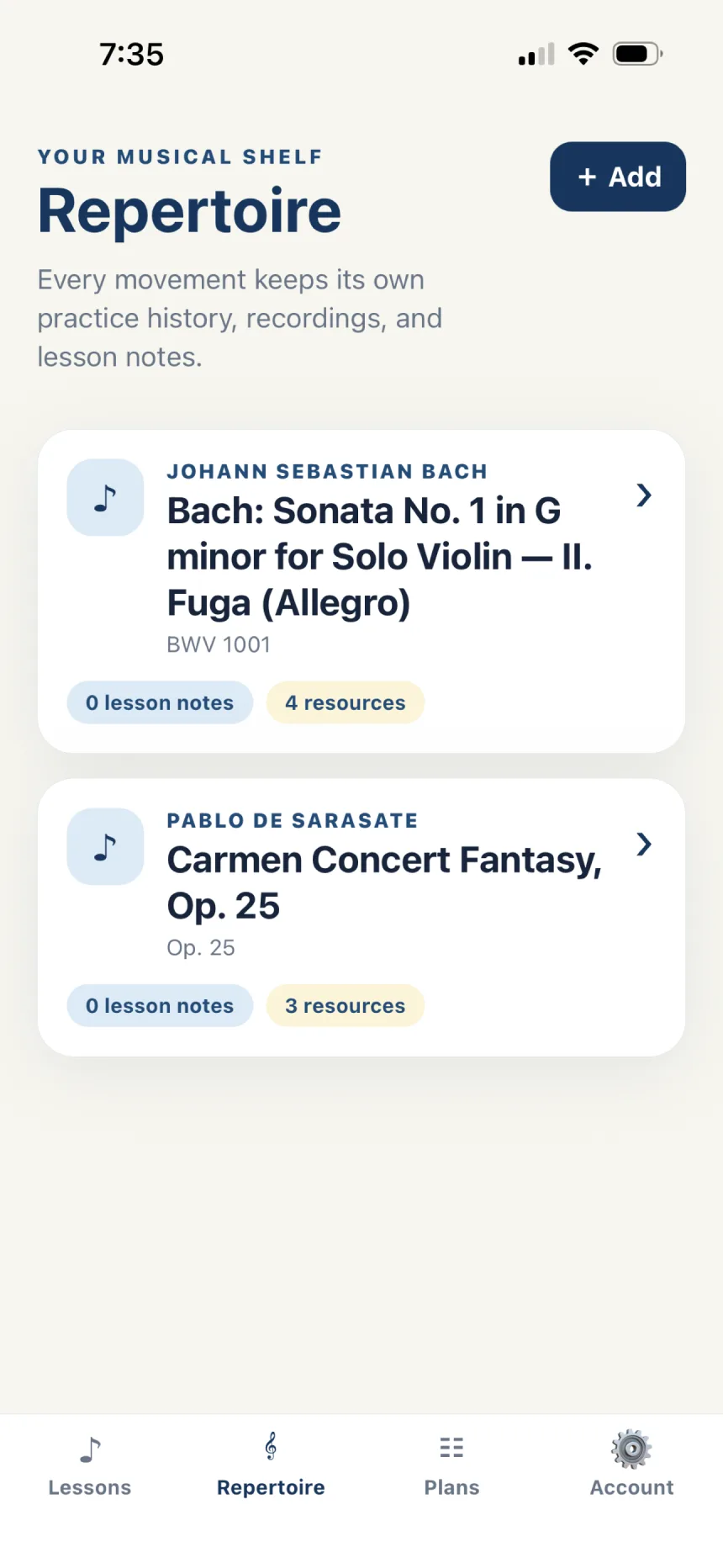
Each movement becomes a home for its lessons, recordings, and progress.
Repertoire + practice discussion
Gather lesson notes, recordings, score links, accomplishments, and next steps around the music they belong to. Then talk with the practice assistant about the context you have already saved—not a blank chat that forgets your work.
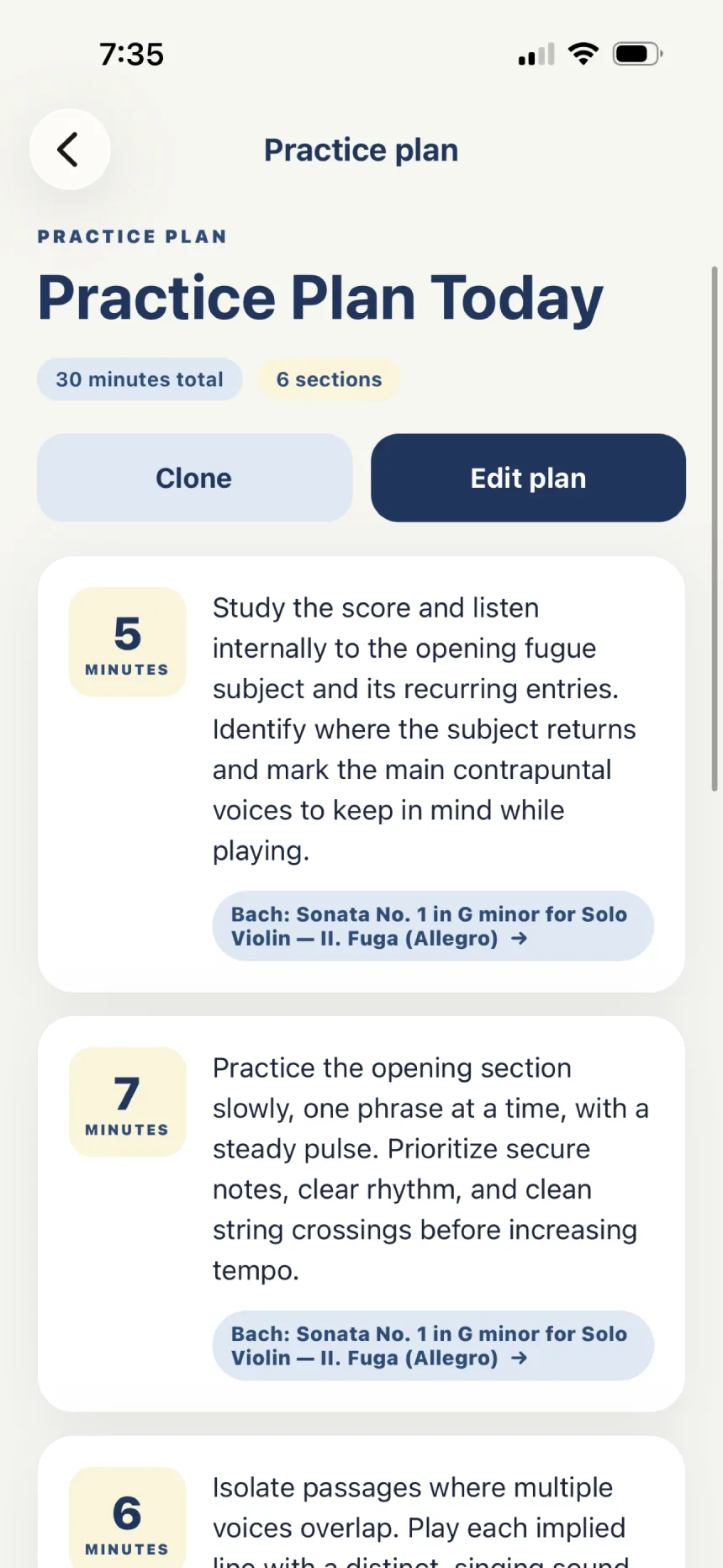
Turn available minutes into an ordered session you can actually follow.
Generate a practice plan
Choose repertoire and a time budget. Schubird draws from recent linked lessons and saved progress to suggest useful focus areas, then shapes them into an editable sequence. Keep what fits, rewrite what doesn’t, and add your own work alongside it.
One continuous practice story
Schubird connects the parts of studying that usually end up scattered across videos, notebooks, links, and memory.
Add a lesson recording and let Schubird find the moments worth returning to.
Link those teaching moments to the piece or movement they concern.
Discuss progress with the repertoire assistant and preserve the next step.
Generate a focused plan, edit it to taste, and follow it one section at a time.
Ready for the space between lessons?
Download Schubird for iPhone and iPad, or use the web app with the same account and study history.
ImportantAn invitation is currently required to create your Schubird account.